Payouts and billing
Account and billing questions
Settings shows your contact, payout bank, and AUSTRAC number. Billing is credits, the card on file, and who pays for each check. There is no subscription page.
Updated 6 October 2026
Settings is where your sign-in contact, payout bank, and AUSTRAC account number live. There is no invoices screen and no monthly plan to cancel.
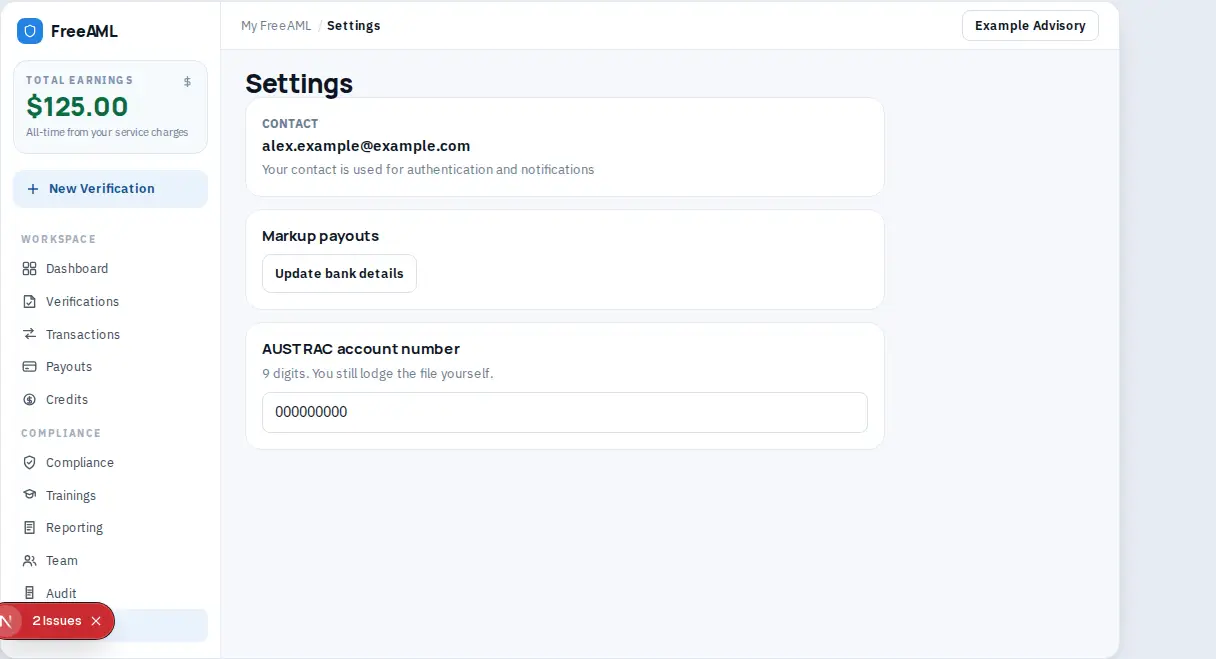
What Settings shows
- 1
Open Settings.
- 2
Contact is the email on your session. The note says Your contact is used for authentication and notifications. Change it by signing in with the other email. There is no password field.
- 3
Role shows your role on this team, or Member if a role is not set.
- 4
Markup payouts repeats the bank connection from Payouts. When the bank is linked, the status says Stripe Connect is linked and you can update the bank account in Stripe.
- 5
AUSTRAC account number is a 9-digit number used in SMR and TTR files. Select Save AUSTRAC number. You still lodge the file yourself. See Report an SMR or TTR.
Team collaboration on this page points you to the Show data from other team members toggle. That toggle is on the Verifications and References pages, not on Settings.
Where are my invoices?
There is no invoices page. I'll pay charges are on Credits, under Recent activity and the card on file. Client-pays amounts are paid by your client. Service charges you earned are on Payouts.
Is there a subscription?
No. You are not on a monthly plan. A check is $20 for KYC or $40 for KYB, plus any service charge your client pays, or you buy a credit pack and use I'll pay.
Why was my card charged?
I'll pay uses credits first. If the balance does not cover the check, the card on file is charged. Client pays does not use that card.
How do I change the email I sign in with?
Sign in with the email you want to use. Settings shows the contact on the current session. It does not offer a separate change-email form.