Compliance
Report an SMR or TTR
FreeAML prepares an SMR or TTR file and a PDF. You download the XML and upload it yourself in AUSTRAC Online. FreeAML does not lodge it.
Updated 6 October 2026
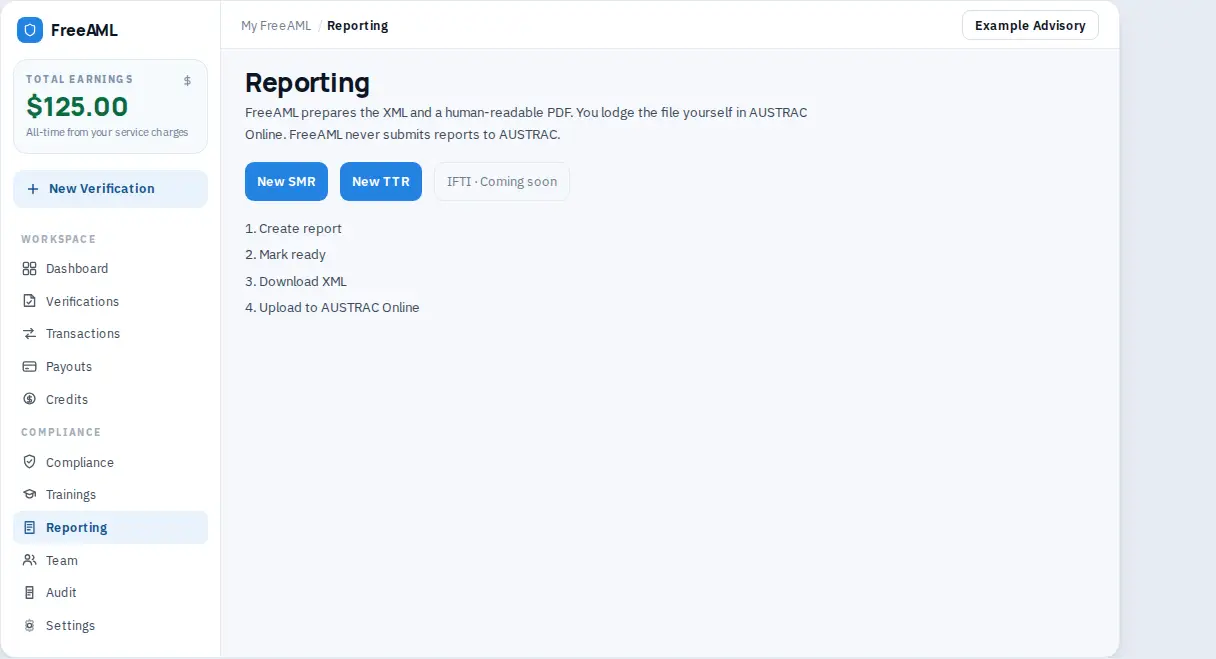
Reporting prepares an SMR or a TTR. The page says FreeAML prepares the XML and a human-readable PDF. You lodge the file yourself in AUSTRAC Online. FreeAML never submits reports to AUSTRAC.
IFTI is listed as Coming soon. You cannot create an IFTI here yet.
Prepare the file
- 1
Open Reporting. Read the disclaimer before you start.
- 2
Select New SMR or New TTR. You can also open New report. The steps on that page are Create report → Mark ready → Download XML → Upload to AUSTRAC Online. A PDF is optional for your file notes.
- 3
Select Create SMR or Create TTR.
- 4
Fill in the draft. You can link a verification, or choose None — enter details manually.
- 5
For an SMR, complete Designated service, Service provided date, Suspicion formed date, Crime or threat, Offence, Grounds for suspicion, Reporting entity reference, and the involved party (Party type, Full name, Date of birth, Email).
- 6
For a TTR, complete Customer name, Date of birth, Transaction date, Cash amount (AUD), Direction, Method, Designated service, Transaction reference, Suburb, State, Postcode, and Purpose.
- 7
On an SMR, tick the compliance officer confirmation. It says you are the compliance officer or an authorised delegate, you have reviewed the draft, and a suspicion has been formed. It also says you will lodge the file in AUSTRAC Online.
- 8
Select Save draft as you go. Status chips are Draft, Ready, and Lodged.
- 9
Select Mark ready when the draft is complete.
- 10
Select Download XML. Upload that file in AUSTRAC Online yourself. Download PDF is optional. The note says AUSTRAC Online needs the XML.
- 11
After you have lodged it, select Mark lodged in AUSTRAC Online. That only updates your draft. It does not send the report.
The guide on the report is four steps: Create report, Mark ready, Download XML, Upload to AUSTRAC Online. The current step is marked You're here.
Save your 9-digit AUSTRAC account number under Settings before you rely on the XML. The button is Save AUSTRAC number. The page reminds you that you still lodge the file yourself.
Delete draft asks Delete this draft? It can't be undone.
Can I report an IFTI?
Not yet. The IFTI tile says Coming soon. SMR and TTR are the reports you can prepare.
What if I am not the compliance officer?
The SMR checkbox is for the compliance officer or an authorised delegate. Do not mark the draft ready in their place if that is not you.