Compliance
Read the audit trail
Audit trail is an append-only record of team changes, verification access, and exports. Admins and Compliance can export it and build an evidence pack.
Updated 6 October 2026
Audit opens Audit trail. The subtitle says it is an append-only record of team changes, verification access, and exports. Admins and Compliance can query and export it.
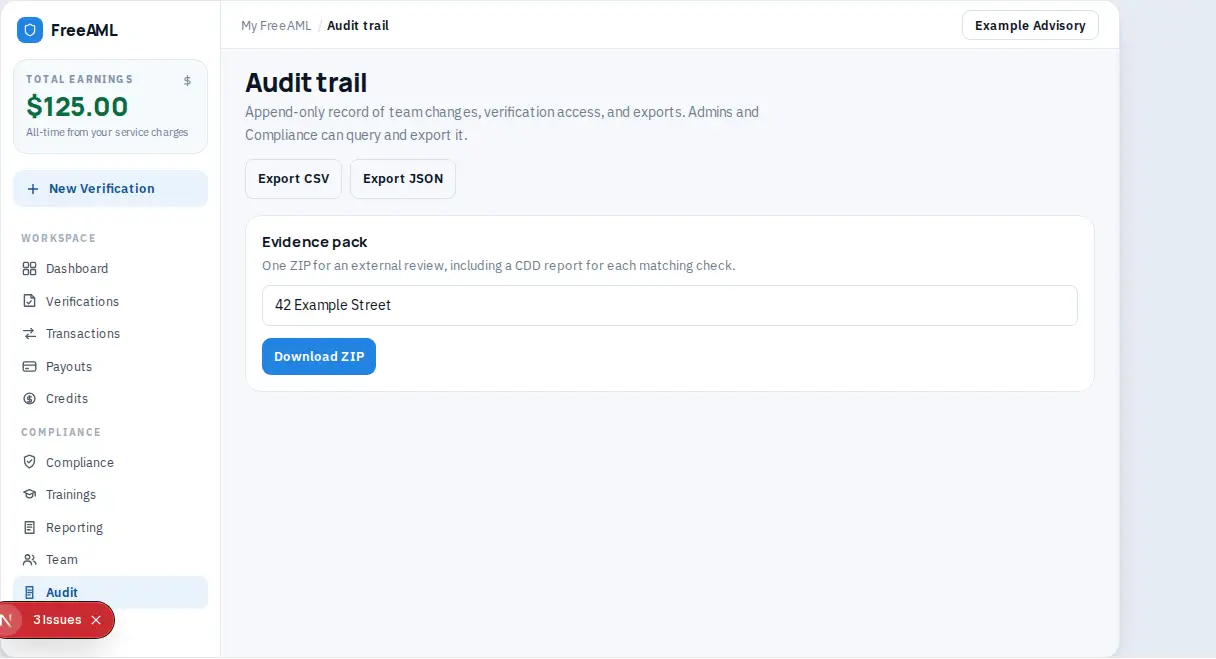
Export or pack the evidence
- 1
Open Audit.
- 2
Filter the events if you need a smaller set. Clear resets the filters.
- 3
Select Export CSV or Export JSON.
- 4
For a review pack, use Evidence pack. The description says it is one ZIP for an external review. It includes the audit events for the scope, a CDD report for each matching check, and a manifest of what was included. Dates are Australia/Sydney.
- 5
Enter a Reference (the matter key), a from date, a to date, or both.
- 6
Select Download ZIP. The button reads Building... while it runs.
Removing a verification does not wipe this log. The remove dialog says the team audit log keeps who removed it and when.
Staff can send verifications but do not get audit export. That row in the role table is Admin and Compliance only.
Can I edit an audit event?
No. The page describes the record as append-only. Export it if you need a copy.
The ZIP failed.
You see Could not build the evidence pack. Check that you can export, then try a narrower reference or date range.