Verifications
Download a CDD report
Download the CDD PDF from a completed verification, or use Download CDD on the list. The file stays hidden until owner checks are done.
Updated 6 October 2026
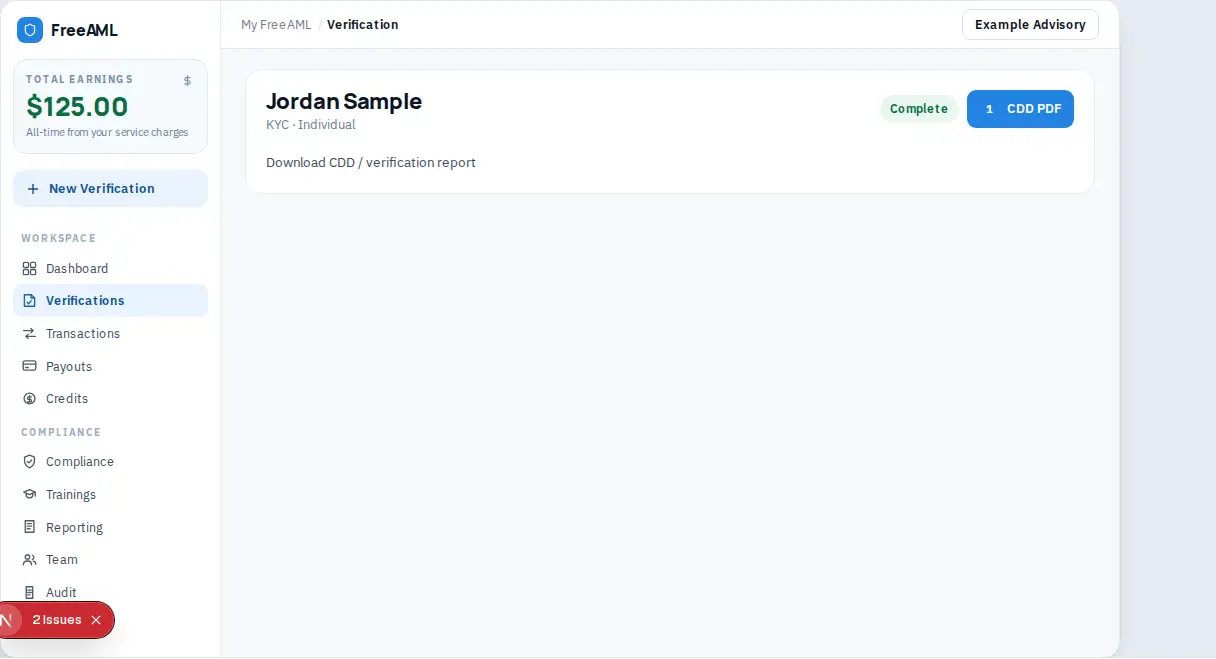
When a verification is complete, you can download a customer due diligence PDF for your file. The button is CDD PDF. On the verification list and the dashboard the same action is Download CDD.
Download the report
- 1
Open Verifications and select the completed check. You can also start from Download CDD on the dashboard.
- 2
Confirm the status is Complete. If owners are still open, the status can read Owners pending and the PDF button is hidden.
- 3
Select CDD PDF. The accessible name is Download CDD / verification report. A spinner shows while the file is prepared.
- 4
Save the file. The name looks like
FreeAML-{code}-CDD.pdf.
If the download fails, the page reports Failed to download CDD report unless a more specific message is returned. Sign in again if your session has expired, then retry.
An evidence pack from Audit can include a CDD report for each matching check. See Read the audit trail.
Why is CDD PDF missing?
The verification is not complete, or an owner check on that file is still open.
Does removing a verification delete the PDF from my computer?
Removing the verification deletes identity document images from FreeAML. A PDF you already downloaded stays in your own files.