Verifications
Verify an SMSF
An SMSF is a $40 KYB check. Your client enters the fund name and ABN or ACN. If it is treated as a trust, you upload the deed.
Updated 6 October 2026
There is no separate SMSF form. An SMSF is verified as a Company / Trust (KYB) check at $40. After payment, the rest of the check runs on the pages of our identity verification partner, Personr. If FreeAML treats the fund as a trust or SMSF, you then follow the same trust deed steps as any other trust.
Verify the fund
- 1
Send a verification link to your client.
- 2
Your client selects Company / Trust (KYB) / Verifying a business or trust.
- 3
On FreeAML. They pay $40 (plus any service charge you set) on Stripe's secure checkout and tick the consent box on Before we begin. If you selected I'll pay, choose the KYB $40 chip before you pay and send, and your client is not charged.
- 4
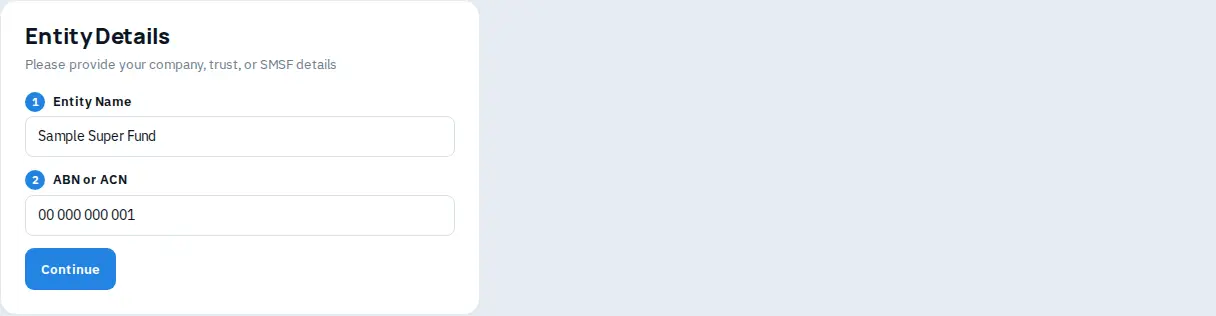
On Entity Details they enter the SMSF legal name in Entity Name and the ABN or ACN, then Continue. On Personr's pages, FreeAML then moves them to Personr to finish the check. The web address changes. The page shows "Powered by Personr".
- 5
Open the verification. If it is classified as a trust or SMSF, the Owners tab asks for the deed. Follow Verify a trust: upload the deed, add each person named on it, and send each of them a check.
The screen copy is the same as a company or trust: Please provide your company, trust, or SMSF details.
Is an SMSF cheaper than a company?
No. Both are a $40 KYB check. Owner checks identified from the deed are $20 per person.
Where is the SMSF button?
There is not one. Your client chooses Company / Trust (KYB) on the payment link.