Verifications
Find a transaction reference
References groups the verifications you tagged with a transaction reference, such as a property or matter.
Updated 6 October 2026
The sidebar label is Transactions. The page title is References. The subtitle is Properties and transactions you're tracking. Each group is a transaction reference you typed when you sent a verification.
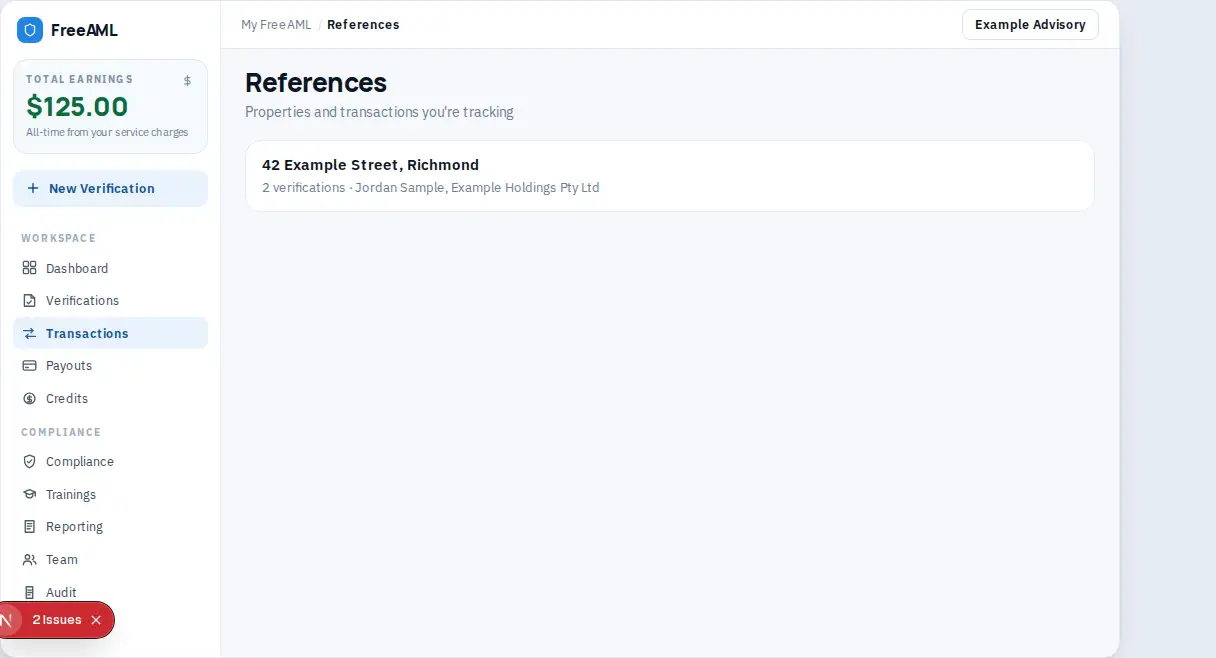
Open a reference
- 1
When you send a verification, fill in Transaction Reference. The placeholder example is
42 Smith St Richmond, Account #12345. - 2
Select Transactions in the sidebar.
- 3
Open the reference. The verifications that used that text are listed together.
- 4
Select Send new Verification on this page if you need another check on a matter you are already tracking.
The helper on the send form says the reference links the verification to your transaction for audit purposes. The evidence pack on Audit can also be filtered by that matter key.
Why is Transactions empty?
No verification has a transaction reference yet, or the toggle to show teammates' data is off and you are looking at someone else's matters. That toggle is on the Verifications and References pages.
Can I edit a reference later?
Set it when you send. New checks should reuse the same text if they belong to the same matter.