Team and workspaces
Add or remove a team member
Invite someone by email from Team. They confirm after they sign in. Removing them asks you to confirm. Their old verifications stay with them.
Updated 6 October 2026
Everyone starts as a team of one. Team says Invite someone when you are ready. They keep their own past verifications.
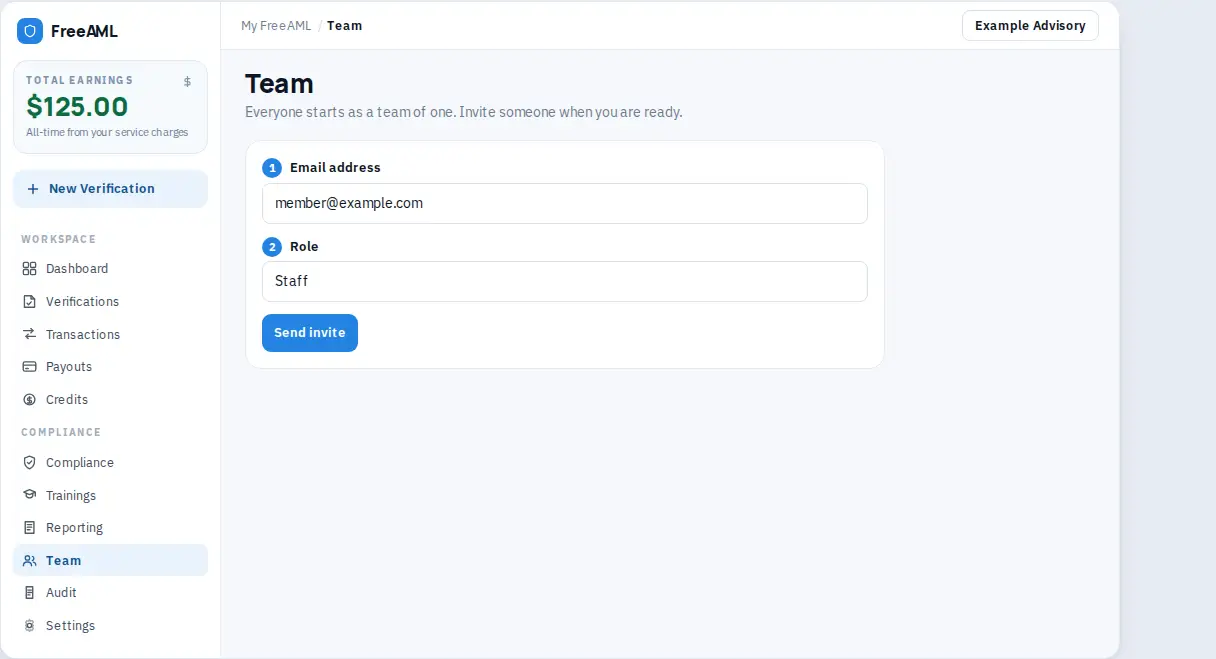
Invite someone
- 1
Open Team. You need permission to invite. If the form is missing, your role cannot add people.
- 2
Under Members, enter Email address. The placeholder is
member@example.com. - 3
Choose a Role: Admin, Workspace admin, Compliance, or Staff. The table What this role can do updates as you change the role. See Team roles.
- 4
Select Send invite. It reads Inviting... while it sends.
- 5
You see Invitation sent to that email. If the invite was saved but the email failed, you see Invitation saved. The email could not be sent.
If that person already has a FreeAML account, the page warns you: their past verifications stay with them. Teammates can see those when Show data from other team members is on. Credits, cards, payouts, and compliance documents start fresh on this team. Nothing already saved on their account is moved here.
They join
- 1
They sign in with the invited email.
- 2
They open Join a team, or follow Review and confirm on Team. The page says Confirm an invitation before it becomes active.
- 3
The invite says You're invited as the role you picked.
- 4
They select Confirm and join. The button reads Joining... while it saves.
If nothing is waiting, they see No invitation waiting and Open your team.
Remove someone
- 1
On Team, select Remove next to the person.
- 2
Confirm Remove and their contact from this team.
- 3
They lose access to this team. Verifications that were already theirs stay on their own account.
To rename the team, edit Team name and select Save name. That needs permission to change settings.
An Admin can also use Bring my past checks into this team. The confirm dialog explains that teammates see them when Show data from other team members is on.
Which roles can invite?
Someone whose role includes managing team members. Admin can. The role table shows Compliance and Staff cannot add or remove people.
Did their old credits move over?
No. The warning says credits, cards, payouts, and compliance documents start fresh on this team.