Compliance
Write your risk assessment
Generate the risk assessment with your AML/CTF program. It appears on Team compliance documents next to the program.
Updated 6 October 2026
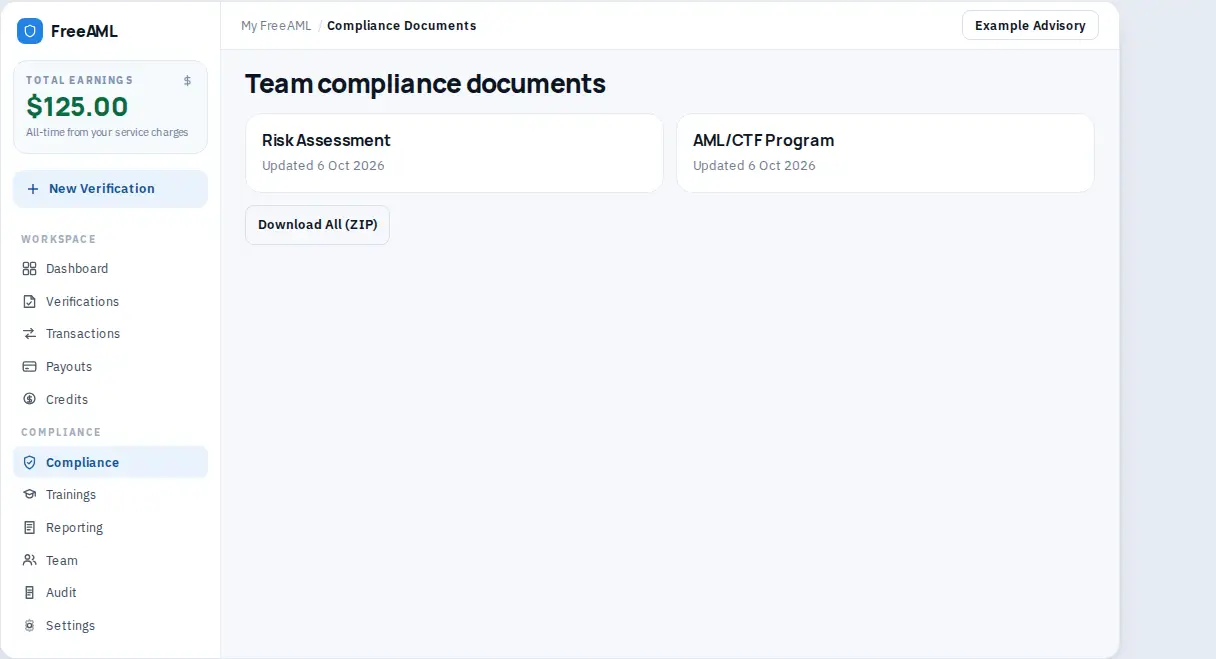
The risk assessment is generated with the AML/CTF program. On Team compliance documents it is its own card, Risk Assessment, next to AML/CTF Program.
Create it
- 1
Open Compliance.
- 2
If you have not generated documents yet, the empty state says No compliance documents yet and Generate your Risk Assessment and AML/CTF Program in 30 minutes.
- 3
Select Create AML program and complete the generator. The public risk assessment tool is the same starting point if you open it while signed in and save back to the team.
- 4
Return to Compliance. Open the Risk Assessment card. You can print it from the browser.
- 5
On AML/CTF program, View risk assessment opens the assessment attached to a published version.
Download All (ZIP) packages the audit-ready export. View Archives lists older copies you can restore or download.
Is the risk assessment a separate product from the program?
No. You generate them together. Compliance lists them as two cards: Risk Assessment and AML/CTF Program.
Can Staff edit the assessment?
Staff can read compliance documents. Publishing a program version is for Admin and Compliance.